Video creation is changing quickly. Every week, a new AI video tool promises to turn a prompt into a finished video. That can be useful for fast drafts, but serious editing still needs something a prompt cannot fully replace: precision.
A good video is built from timing, layout, audio placement, readable captions, transitions, motion, visual hierarchy, and many small choices that make the final result feel intentional. When those controls disappear behind an AI prompt, the creator loses the part of editing that shapes the message.
Luffy Create is built on a simple idea: use AI where it helps, but keep the editor in control.
Why Luffy Create exists
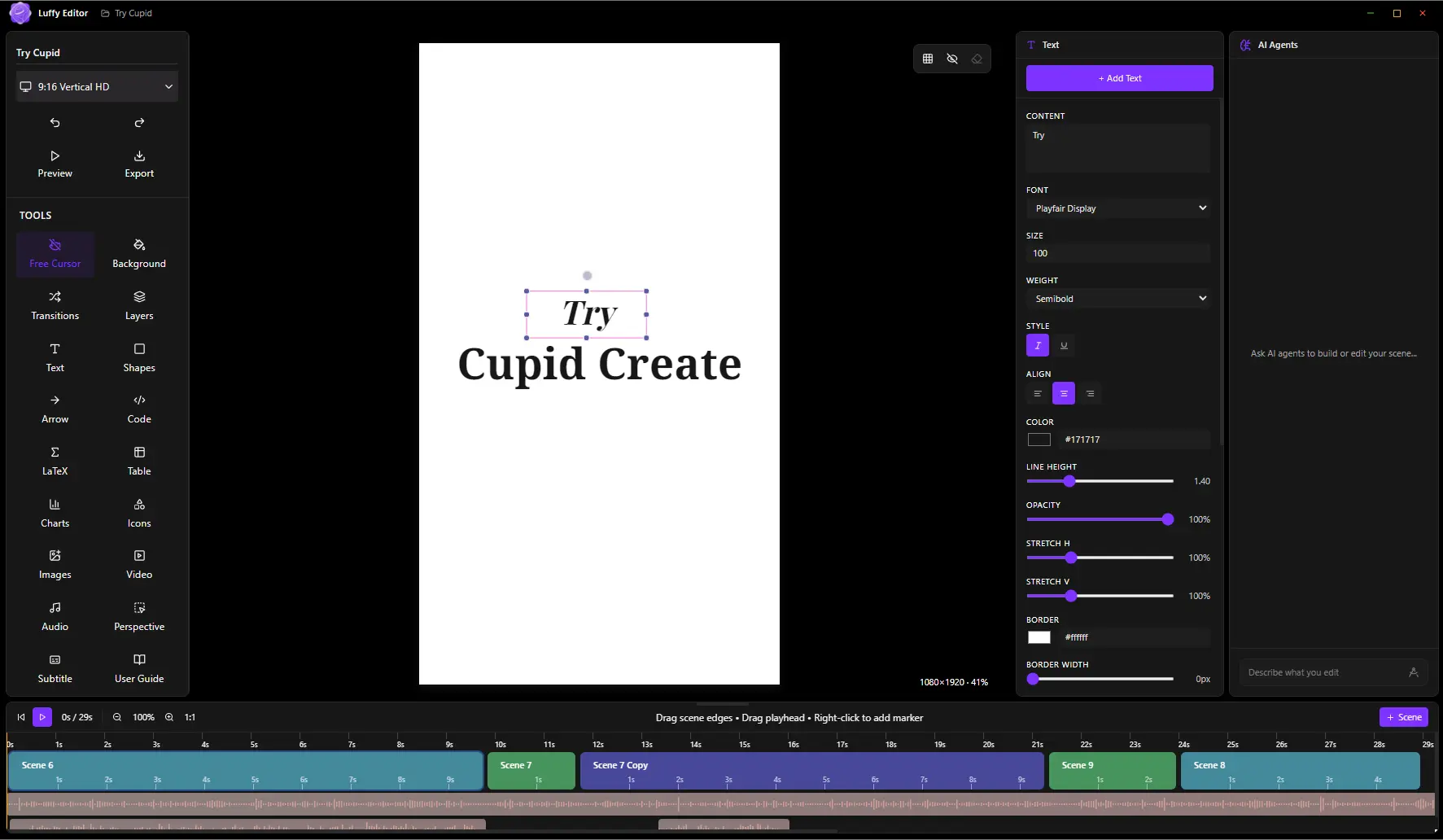
Luffy Create was created for people who want the speed of modern video tools without giving up the practical control of a real editor. It starts with the timeline. Scenes are visible. Media is visible. Audio is placed where it belongs. Captions can be styled. Animations can be adjusted. Transitions can be tuned.
AI Edits are added on top of that foundation. They can help create scenes, place text, insert media, set backgrounds, add animations, and use named assets. The important difference is that the result still lands inside a real editor where you can inspect and refine every choice.
What makes it different
Luffy Create is not trying to be another over-abstracted AI video generator. It is a practical video creation workspace where AI, code, media, and manual editing work together.
Main features readers should know
- Timeline video editing: scene blocks, media timing, audio lanes, transitions, and preview controls.
- AI-assisted editing: structured AI Edits for adding scenes, text, media, backgrounds, animations, and audio.
- Automatic captions: generate captions from timeline audio and style them for the final video.
- Text and design controls: gradients, font weights, shadows, animations, borders, icons, shapes, and hand drawing.
- Image and video styling: crop, adjustment controls, perspective transforms, border radius, shadows, and animated gradient borders.
- Python and Manim sandbox: create charts, visual explanations, and math animations from code inside the editor workflow.
- Local export: render MP4 videos and still images directly from your machine.
Luffy Create vs typical AI video editors
| Need | Luffy Create | Typical online AI editors |
|---|---|---|
| Price | Free and open source | Often subscription-based or limited by credits |
| Workflow | Timeline-first with AI assistance | Often prompt-first with limited manual control |
| Privacy | Local projects and offline editing | Usually cloud upload or account-based workflows |
| Precision | Manual control over text, media, audio, timing, and export | Can be harder to inspect and tune exact details |
| Technical visuals | Python and Manim tools are part of the workflow | Often requires external tools |
Who should try it
Luffy Create is useful for launch videos, product demos, educational videos, technical explainers, coding walkthroughs, social clips, visual presentations, and tutorials. It is especially useful when you need modern editing speed but still care about exact positioning, timing, captions, and readable structure.
Why local and open source matters
Creators should not need to upload every draft to a cloud editor just to make a video. A local-first editor is easier to trust, easier to inspect, and better for private work. Open source also means the tool can improve in public instead of hiding behind a black box.
The road ahead
This first launch version is only the beginning. The goal is to keep improving the core editor, timeline, AI Edits, export quality, captions, templates, transitions, and animation control while keeping the product lightweight and accessible.
The product direction is clear: AI should reduce repetitive work, not remove creative control.
Try Luffy Create
Download the latest release, build a small scene, test the timeline, and share feedback on GitHub.
Download latest release